One Notion system for your whole life
Tasks, habits, goals, budget, meals and notes — pre-built, interlinked and calm. Not 500 templates. One dashboard you’ll actually open every day.
8 modules · Works on free Notion · 30-day money-back guarantee
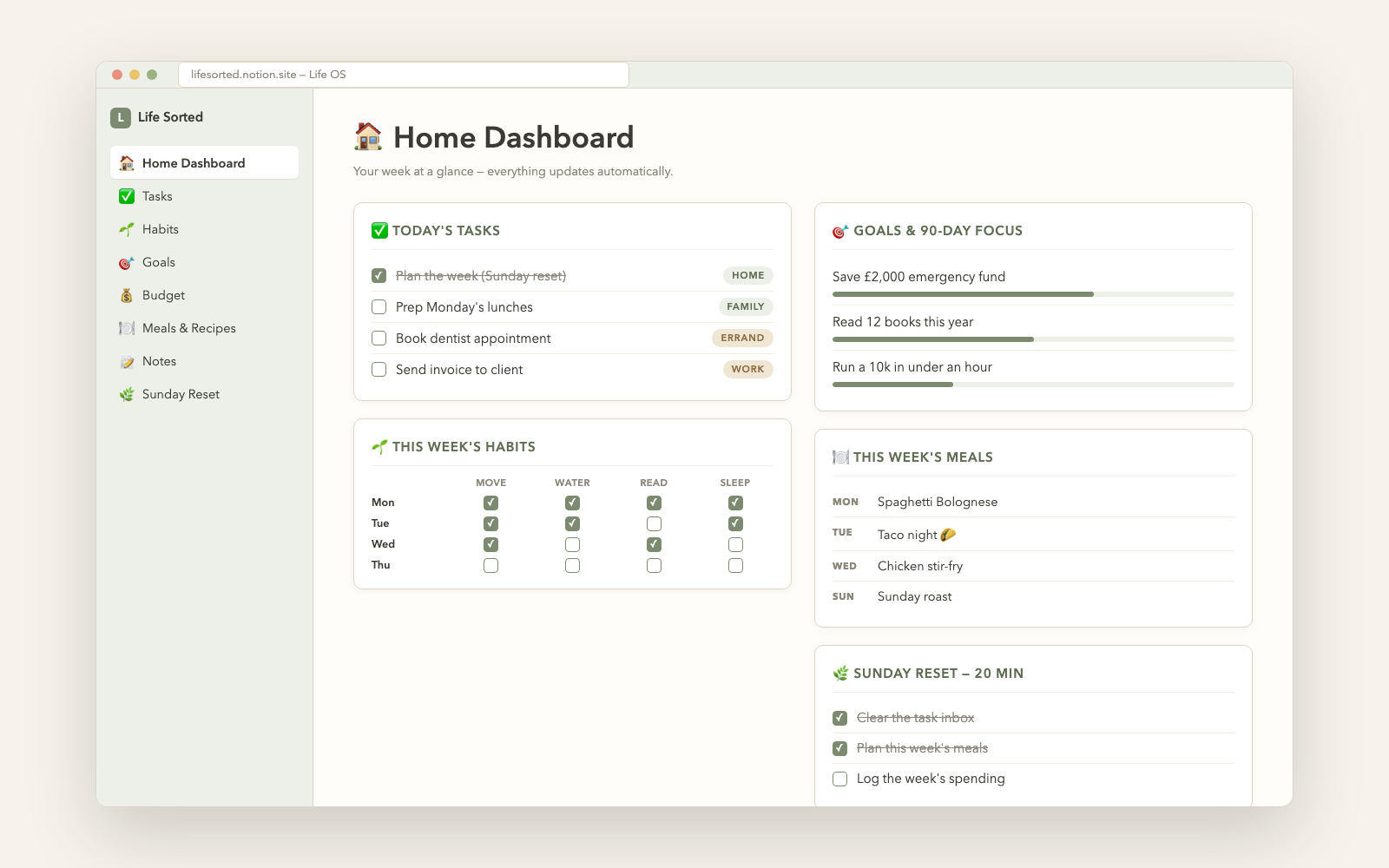
Eight modules. One calm system.
Everything feeds the Home Dashboard — so running your life takes one page, not forty-seven scattered ones.
Home Dashboard
The only page you need daily — today’s tasks, habits, goals and meals in one view.
Task Manager
One inbox, areas and priorities. Nothing lives in your head anymore.
Habit Tracker
Daily checkbox grid with your four keystone habits. Streaks you can see.
Goals + 90-Day Focus
Yearly goals broken into 90-day sprints with visible progress.
Budget Tracker
Income, spending and categories — a baseline in one week of logging.
Meal Planner
Plan the week’s dinners in five minutes. Pairs with your grocery run.
Notes & Lists
A tidy second brain for everything that isn’t a task — tagged and findable.
Sunday Reset
The 20-minute weekly checklist that keeps the whole system alive.
From download to daily driver, tonight
Duplicate the template
Your download has a private link. Open it, click Duplicate, and the whole system copies into your Notion — free plan included.
Make it yours in 10 minutes
Swap our sample data for your real tasks, four habits and 1–3 goals. The included guide walks every step.
Reset for 20 minutes on Sunday
The built-in Sunday Reset checklist plans meals, clears the inbox and schedules one step per goal. That habit is the system.
Questions, answered
What exactly do I get?
An instant digital download with your private duplicate link and a 10-minute setup guide (PDF). Open the link, click Duplicate, and the entire system — all 8 modules, pre-linked — copies into your own Notion workspace.
Do I need a paid Notion plan?
No. The Life OS works fully on Notion’s free plan. If you don’t have Notion yet, it takes two minutes to create a free account.
Is this 500 random templates?
The opposite. It’s one coherent system: every module feeds the Home Dashboard, and the Sunday Reset keeps it running. Fewer pages, more life actually sorted.
Can I customize it?
Completely. Once duplicated, the workspace is 100% yours — rename modules, change habits, add databases, restyle everything. The setup guide shows you the safe way to make changes.
What if it doesn’t stick for me?
There’s a 30-day money-back guarantee. If your weeks aren’t calmer, reply to your receipt email and you get a refund.
Ten minutes tonight. A calmer every-week after.
The Notion Life OS — 8 interlinked modules, the 10-minute setup guide, and the Sunday reset that keeps your whole life on one dashboard.
Get the Life OS — $19 →Instant duplicate · Works on free Notion · 30-day money-back guarantee